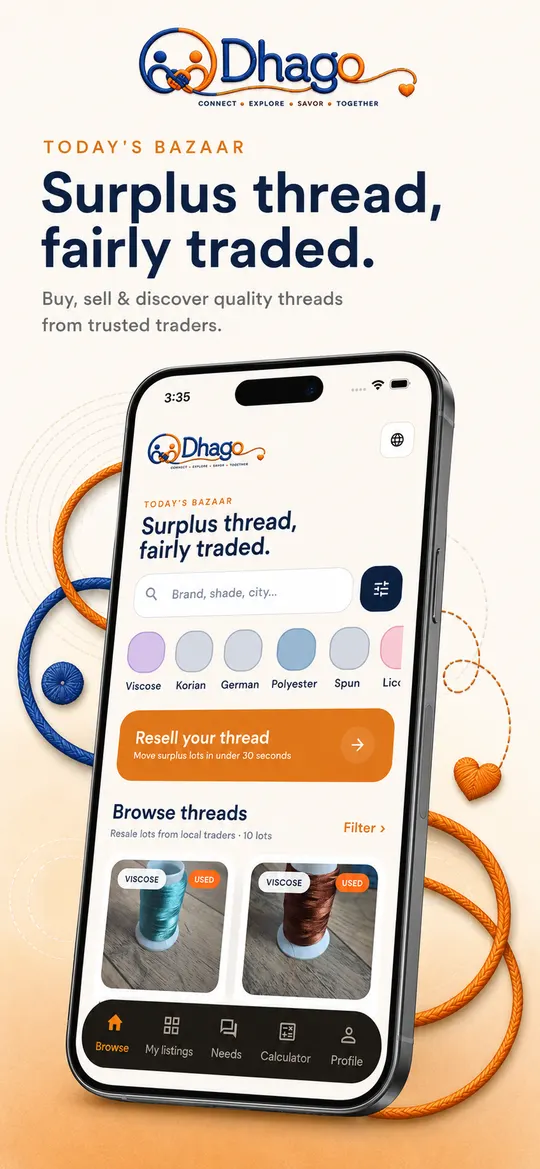
Today's Bazaar

Surplus thread,
fairly traded.

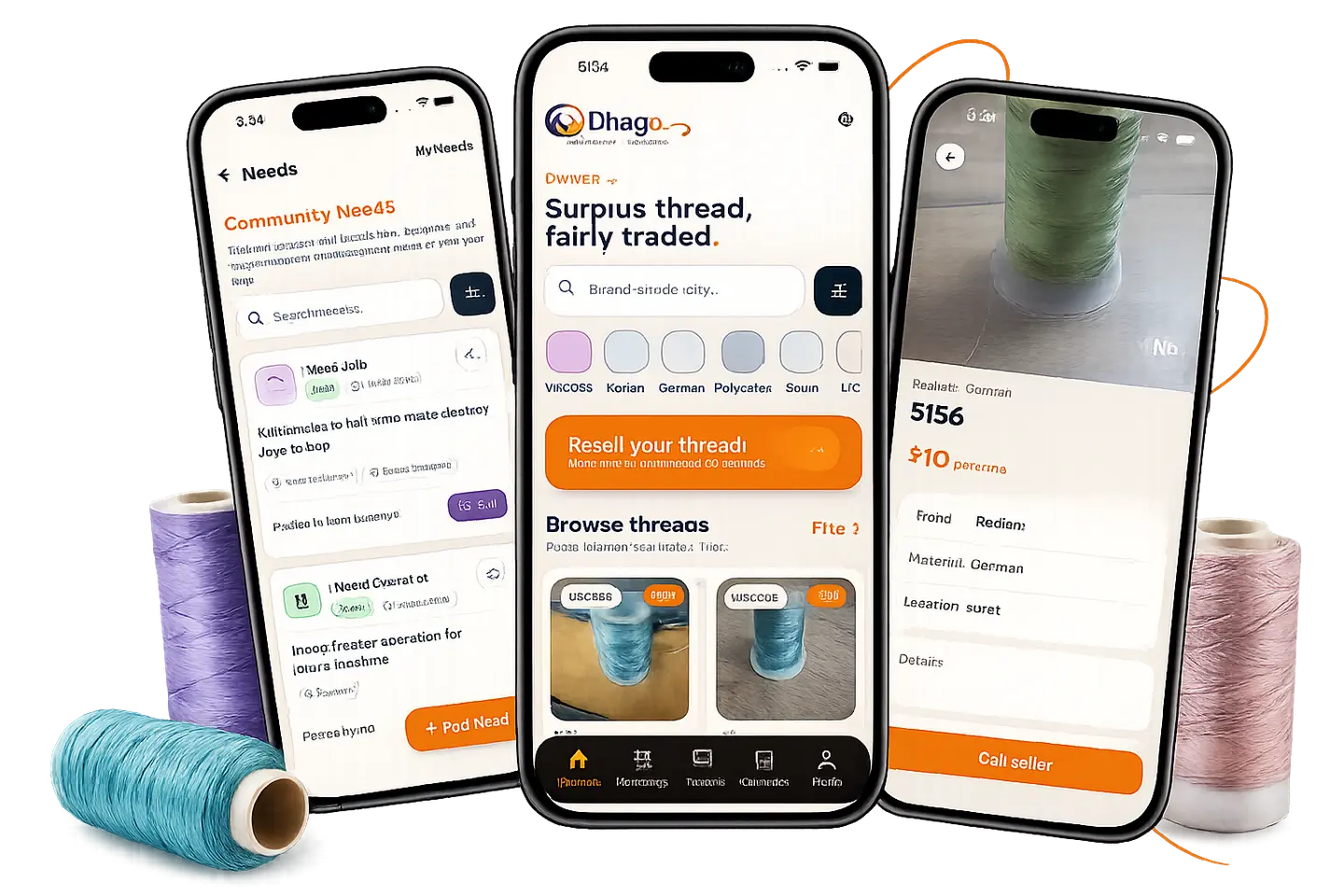
Dhago is a marketplace and work utility app for India's thread and embroidery ecosystem. Buy and sell thread lots, post what you need, and price a design before you make it — all in one app.
  • Free to use
  • English · हिन्दी · ગુજરાતી
  • Built for India
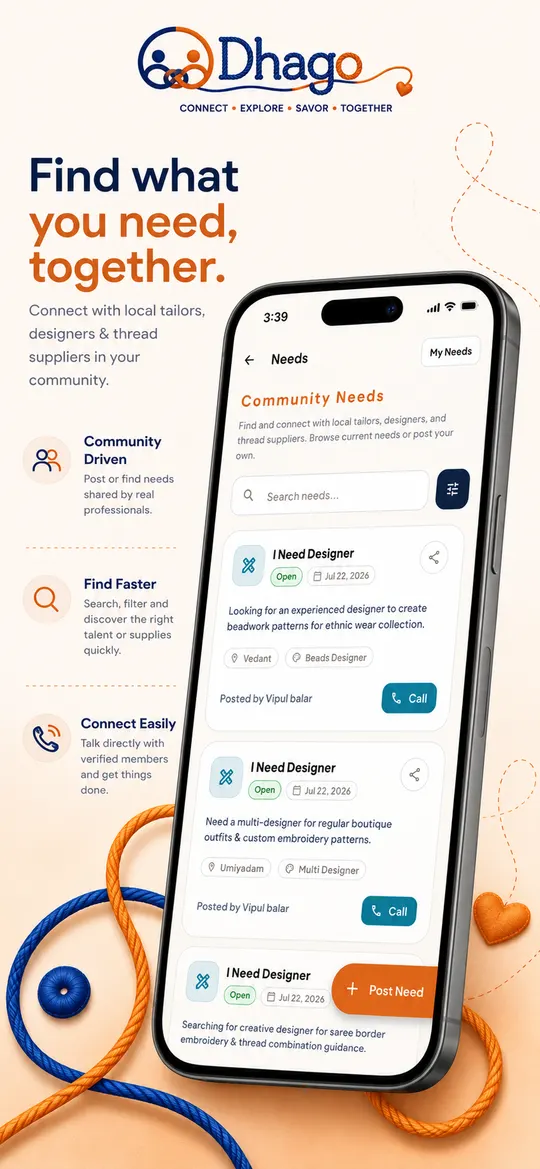
Three phones showing Dhago — Community Needs, Today's Bazaar and a thread listing — surrounded by thread spools

Who it's for

One app, three ways
to get work moving.

Pick your role when you sign up and Dhago shapes the whole app around it — the home screen, the needs you see, and the tools you get.

Owner

Move stock, hire fast

Buy and sell thread, and post jobs for designers or operators when an order needs hands.

Designer

Find design work nearby

Browse and apply to design jobs posted around you, and price your stitch work before you quote.

Operator

Keep the machine busy

Browse and apply to machine operator jobs near you, and let owners find you when you're free.

What's inside

Built for real textile work,
not generic classifieds.

Everything from listing a surplus lot to closing the call and costing the design — without leaving the app.

Thread marketplace

List surplus lots with photos, price, condition and location. Sell in under 30 seconds.

Smart filters

Search by brand, thread type, city or area, and price range to find exactly the lot you want.

Needs network

Post I Need Thread, Designer, Operator, Machine or Job — and see live needs around you.

Direct calling

Call the seller or the person who posted the need straight from the detail screen.

Shareable need links

Share a need on WhatsApp and let anyone open it directly in Dhago.

Stitch calculator

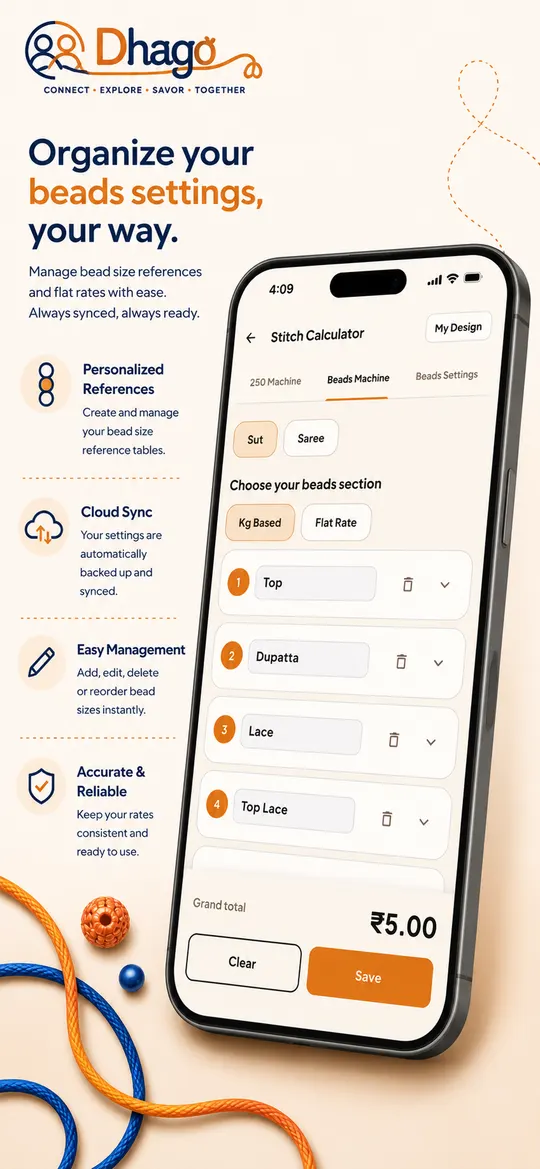
Two costing modes — 250 Machine and Beads Machine (400) — with section-wise totals.

DST + image support

Attach the design image and the DST file to every calculation so nothing gets lost.

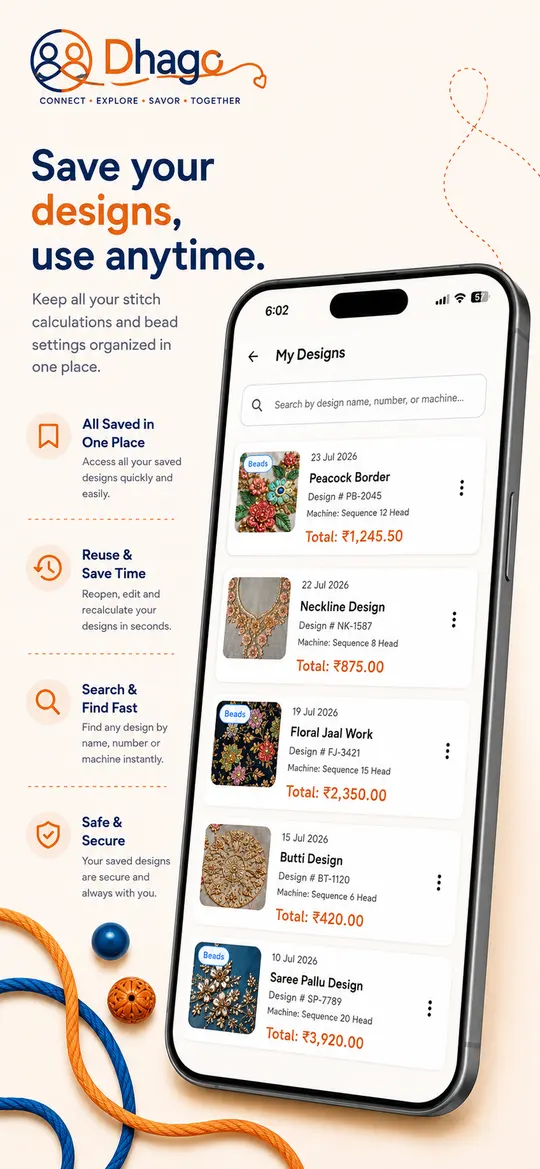
My designs

Save designs with number and name, then search, reopen, edit or recalculate any time.

Beads settings

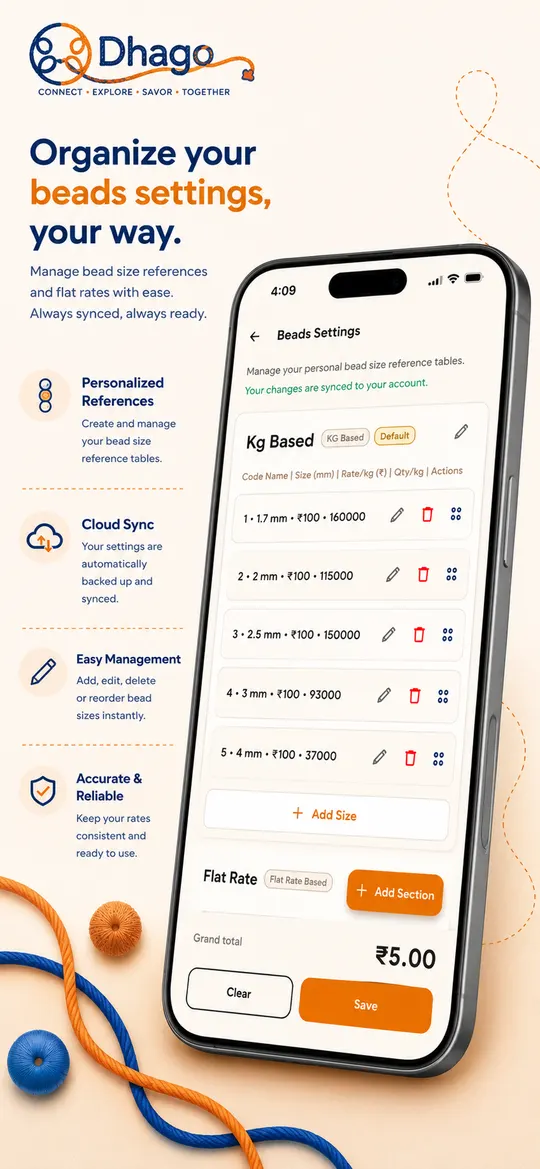
Keep your own section-wise bead rates — KG based and flat rate — for accurate costing.

Notifications

Get told about relevant opportunities, with an unread count and mark-as-read.

Three languages

Use the whole app in English, Hindi or Gujarati — switch any time from Profile.

Account controls

Update your profile, change your password, and delete your account from inside the app.

Stitch calculator

Price the design
before you make it.

Enter the stitch rate, break the design into sections, and Dhago gives you the grand total instantly — so you quote from numbers, not from memory.
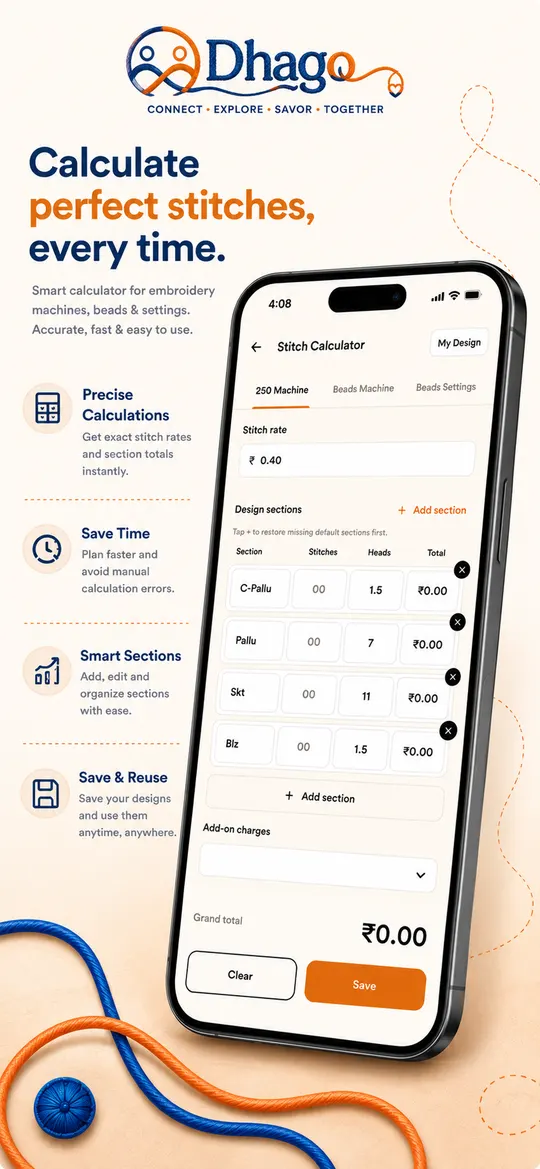
  • 250 Machine Stitch rate plus section-wise stitches, heads and add-on charges.
  • Beads Machine (400) Cost by bead section using KG-based or flat-rate pricing.
  • Design number, image & DST Every saved calculation carries the artwork and the machine file with it.
  • Your own bead rates Bead size reference tables stay synced to your account across devices.
The Dhago stitch calculator on the 250 Machine tab, showing design sections with stitches, heads and a grand total

Multilingual

In the language
your team already speaks.

English

Surplus thread, fairly traded.

Every screen, every button, every notification.

हिन्दी · Hindi

बचा हुआ धागा, ईमानदार सौदा।

हर स्क्रीन, हर बटन, हर सूचना।

ગુજરાતી · Gujarati

વધેલો ધાગો, સાચો ભાવ.

દરેક સ્ક્રીન, દરેક બટન, દરેક સૂચના.

Start trading thread today.

Free to download. Sign up, pick your role and city, and you're in the bazaar in under a minute.

Thread marketplace · needs posting · stitch costing · English, Hindi, Gujarati

Support

Stuck somewhere?
We'll sort it out.

Answers to the questions we get most, and a real person on the other end of the email if yours isn't here.

How do I sell a thread lot?
Open My listings from the bottom bar and tap the add button, or tap Resell your thread on the home screen. Add a photo, the brand and thread type, condition (Fresh or Used), price, and your city or area. Your listing appears in Today's Bazaar as soon as you save it.
I posted a need but I can't find it
Needs you create live under My Needs on the Needs screen. If it isn't showing in the main Community Needs list, check whether a filter (need type, city or status) is still applied — clear the filters and pull down to refresh. Closed needs are hidden from the open list by design.
How do I share a need with someone?
Tap the share icon on any need card. Dhago builds a message with the need details plus a link, so the person you send it to can open the same need in the app — or install Dhago first if they don't have it yet.
What's the difference between 250 Machine and Beads Machine (400)?
250 Machine costs a design from a stitch rate and section-wise stitch and head counts, plus any add-on charges. Beads Machine (400) costs bead work instead, section by section, using either KG-based rates or a flat rate. Both live as tabs inside the Stitch Calculator.
My bead rates are wrong — where do I change them?
Open the Beads Settings tab in the Stitch Calculator. You can add, edit, delete and reorder bead sizes in your KG-based table, and set your flat-rate sections. These are your personal tables — they sync to your account and apply to every new beads calculation.
Can I attach the DST file to a calculation?
Yes. When you save a calculation you can give it a design number and design name, upload the design image, and attach the DST file. Everything is kept together under My Designs, where you can search by name, number or machine and reopen a design to recalculate it.
How do I change the app language?
Go to Profile and choose your language — English, हिन्दी or ગુજરાતી. You can also tap the globe icon in the top-right of the home screen. The choice is remembered on your device.
I'm not getting notifications
Check that notifications are allowed for Dhago in your phone's system settings (Settings → Apps → Dhago → Notifications on Android, Settings → Notifications → Dhago on iPhone). If they're allowed and you still see nothing, sign out and sign back in — that re-registers your device — then email us if it persists.
How do I change my password?
Open Profile and choose Change password. You'll need your current password. If you've forgotten it, use the forgot-password option on the login screen.
How do I delete my account?
Open Profile and choose Delete account. This permanently removes your account together with your listings, needs and saved designs, and it can't be undone. If you can't reach the screen, email kaniko.in07@gmail.com from your registered address and we'll process it for you.
How do I report a bad listing or a user?
Email kaniko.in07@gmail.com with a screenshot and the listing or need details. We review reports and remove content that breaks our terms and conditions.